



Barcode Tracking Guide for Funeral Homes
Short answer: barcode tracking gives every decedent and every belonging a scannable tag, and every location in your building a scannable label. Staff scan at each hand-off, so your custody record shows where each person has been, who moved them and when, instead of where someone remembers putting them. This guide covers why it matters, how to choose a system, and how to roll it out without a staff revolt. Our own system, Custoa, is used as the example throughout.
Revolutionizing funeral home management with modern, user-friendly technology
The firms getting the most from technology now are not the ones with the most software. They are the ones whose tools are simple enough that every staff member uses them on every case. Barcode tracking is the clearest example.
Why every funeral home needs custody tracking
Whether you serve 50 families a year or 5,000, you carry the same responsibility for each one: the right person, in the right place, released to the right people. Most firms do this with a whiteboard, a clipboard and good staff. That works until a busy weekend, a new hire, or two decedents with similar names.
Lower the risk of the mistake nobody recovers from
Misidentification and mix-ups are rare, but when they happen they make the news, end up in court, and can close a firm. Scanning at every move turns "I'm sure we checked" into a record that shows you did. Custoa adds a two-person check at key steps and a lock before cremation or release.
Give families straight answers
When a family asks where their mother is right now, a scan history answers in seconds. Families do not need the details; they need to know you have them.
Track belongings, not just bodies
Rings, glasses, clothing and paperwork go missing more often than decedents do. Tagging effects bags and garments to the case keeps them attached. See personal effects tracking.
Cover third-party transfers
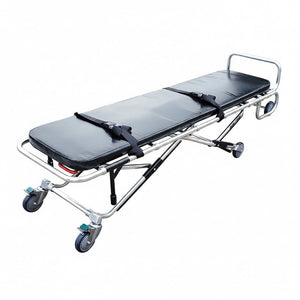
Removal services, trade embalmers, hospitals and crematories all hand decedents back and forth. A tag scanned at each hand-off keeps custody continuous across organizations. See removal and transport chain of custody.
How to choose a barcode tracking system
- Fit with your current software. Some tracking only works if you move your whole case management onto one vendor's platform. A standalone tool like Custoa runs beside what you already use.
- Who prints the tags. Printing on site means buying and maintaining a printer, label stock and software. Custoa prints and ships every tag sheet and location label. See Custoa tags and labels.
- Tag durability. Tags must survive refrigeration, moisture and handling. Stainless steel cremation ID discs carry identity through cremation.
- Location detail. "In the cooler" is not enough. Look for labels on every cooler, rack and space.
- Verification, not just logging. Does the system check the tag against a second ID? Does it stop a cremation if paperwork is missing? See how Custoa verification works.
- Offline scanning. Coolers, garages and removal vehicles often have no signal. Scans should save on the phone and sync later. See offline scanning in death care.
- Cost that scales with you. Custoa is a monthly subscription plus a per-case fee by call volume, starting at 50-99 calls a year. See Custoa pricing.
Setting up your tracking system
Decide why you are doing it
Write one sentence your team can repeat, such as "Every decedent is scanned at every move, so we can prove it." It becomes the answer to every "do I really have to scan this?"
Go all in
Tracking only works when it covers every case and every move. A system used on some cases is a second whiteboard. Pick a start date and scan everything from that day.
Map your locations first
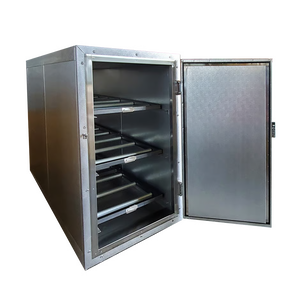
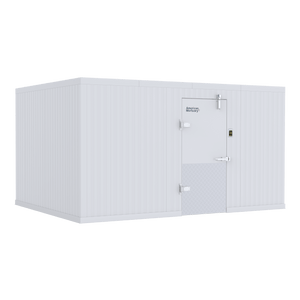
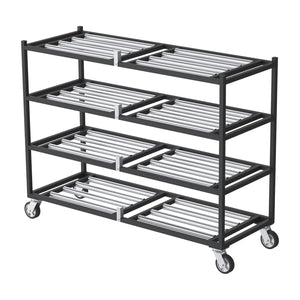
List every place a decedent can be: each cooler, rack and space, prep room, dressing room, viewing room, garage and vehicle. In Custoa you build this layout once and the labels arrive printed. It is also a good time to look at mortuary cooler organization and whether your racks and coolers give every case a defined space.
Photograph items, not people
Photos of effects, clothing and paperwork help settle questions later. Custoa captures photos of items only and never photos of the deceased.
Run a 30-day trial with check-ins
Give the process a month with weekly check-ins. Look at the scan history together, find the moves that were missed, and fix the step that caused it.
Getting your staff on board
- Share the why in a staff meeting. Tell a real story of a mix-up at another firm and ask how your process would have caught it.
- Admit change is a hassle at first. The first week of scanning is slower. After that it is faster than writing on a board.
- Ask for a commitment. Ask each person directly to scan every move for the trial period, and listen to what worries them.
- Keep meeting. Short regular reviews keep the habit from slipping and surface problems early.
Pair tracking with cooler monitoring
A custody record shows a decedent was in Cooler 2 overnight. HALO cooler monitoring shows whether Cooler 2 stayed in range, with alerts for temperature, door and power events. See decedent tracking and cooler monitoring.
Next steps
See Custoa from American Mortuary Coolers, read getting started with Custoa, or request a Custoa demo. Custoa sign-up, layouts and team setup are live now; case-tag scanning, verification checks and tag kits are rolling out, with the current list on Custoa's How It Works page.
Frequently asked questions
What is barcode tracking in a funeral home?
Barcode tracking gives each decedent and each belonging a tag with a unique code. Staff scan the tag at every hand-off and location, building a time-stamped custody record showing where each person and item has been and who handled them.
How long does it take staff to adopt barcode tracking?
Plan on a trial of about a month with every case and every move scanned. Most teams find scanning becomes routine once it is required on every case with no exceptions.
Do we need to print our own barcode tags?
Not with Custoa. Custoa prints and ships tag sheets and location labels assigned to your organization, so there is no label printer to buy or maintain.
Does barcode tracking replace our funeral home software?
Not necessarily. Some tracking tools only work inside one vendor's platform. Custoa is standalone and runs beside your current case management software.
Questions? Call 1-888-792-9315 or email cool@mymortuarycooler.com.
