



Buying resources
Mortuary Equipment Freight Delivery Guide
How mortuary coolers ship — liftgate vs forklift, limited access, inspect-before-signing steps & damage claims. Freight transparency from AMC.
FREIGHT TRANSPARENCY
Mortuary Equipment Freight Delivery Guide
How mortuary coolers actually ship — liftgates, forklifts, inspection, and what to do if something arrives damaged.
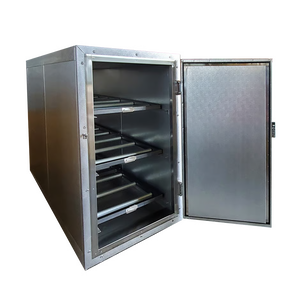
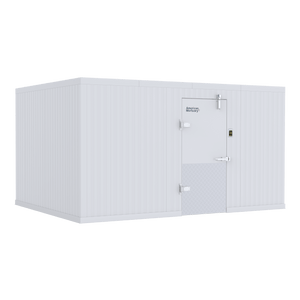
How do mortuary coolers ship? Mortuary coolers, cots, tables, and racks ship by commercial LTL or dedicated freight from our Johnson City, Tennessee facility to a commercial address. Walk-in cooler panels ship palletized and crated; upright coolers ship as a single crated unit that can weigh 600–1,200+ lbs. The shipping charge at checkout is an estimate — the actual carrier cost is confirmed with you and approved before your order ships, under our Estimated Shipping Charges Policy (SC-1.0).
Liftgate vs. Forklift Delivery
A forklift or equivalent equipment is the standard way to unload mortuary equipment. If your facility has no forklift or loading dock, tell us at order time and we will arrange liftgate service — a hydraulic platform on the truck that lowers the crate to ground level. Liftgates have weight and size limits, so oversized walk-in crates and heavy uprights may still require a forklift, pallet jack with helpers, or a scheduled dedicated truck. Curbside commercial delivery is standard; the driver is not obligated to bring equipment inside. Full terms: Freight Carriers & Delivery Terms.
Inside Delivery & Limited-Access Locations
Inside delivery, residential-adjacent funeral homes, gated facilities, campuses, downtown streets without dock access, and island or remote locations are all classified by carriers as limited access and carry additional fees. Tell us about stairs, narrow drives, gates, or tight docks when you order — quoting it up front is always cheaper than a carrier re-class after the truck arrives.
How to Inspect a Freight Shipment Before Signing
The delivery receipt (BOL) is a legal document — inspect before you sign. Count every piece against the BOL. Walk all four sides. Look for punctures, forklift strikes, crushed corners, broken banding, and tilt/shock indicators. Open the crate if damage is suspected — you have the right to inspect. Write every problem on the BOL before signing (“2 panels crushed on corner, photos taken”), photograph everything, and keep your copy. A clean signature is acceptance of the shipment in good condition and order, and it ends the carrier’s liability. Full procedure: Freight Damage, Inspection & Refusal Policy.
What to Do If Mortuary Equipment Arrives Damaged
1) Note the damage on the BOL before signing. 2) Photograph the crate, the damage, and the BOL notation. 3) Keep all packaging. 4) Call 1-888-792-9315 the same day and email photos to cool@mymortuarycooler.com with your order number. We file and fight the carrier claim with you — documented damage noted at delivery is a strong claim; undocumented damage discovered later is nearly impossible to recover. Refusing a shipment without authorization triggers the Refused Delivery Policy — call us first.
Freight Readiness Checklist
Before your cooler ships, confirm: commercial delivery address • forklift or liftgate plan • door and hallway widths vs. crate dimensions • level path from truck to final placement • a person authorized to inspect and sign • camera ready for delivery photos • site power and drain ready per your model’s startup guide. Want a second set of eyes? Send measurements for a free review before you order.
Freight questions before you order?
Tell us your dock, door, and forklift situation and we’ll quote the right delivery service the first time — no surprises on delivery day.
Call 1-888-792-9315 or email cool@mymortuarycooler.com
American Mortuary Coolers • Johnson City, TN • Part of the AMC Trust Center
Shop Mortuary Coolers for Funeral Homes
Compare the actual equipment below, choose the required options and add an eligible configuration to your cart. Quote-only and configured systems retain their dedicated product path.
- Choose the equipment
- Select options and quantity
- Review your cart or itemized quote
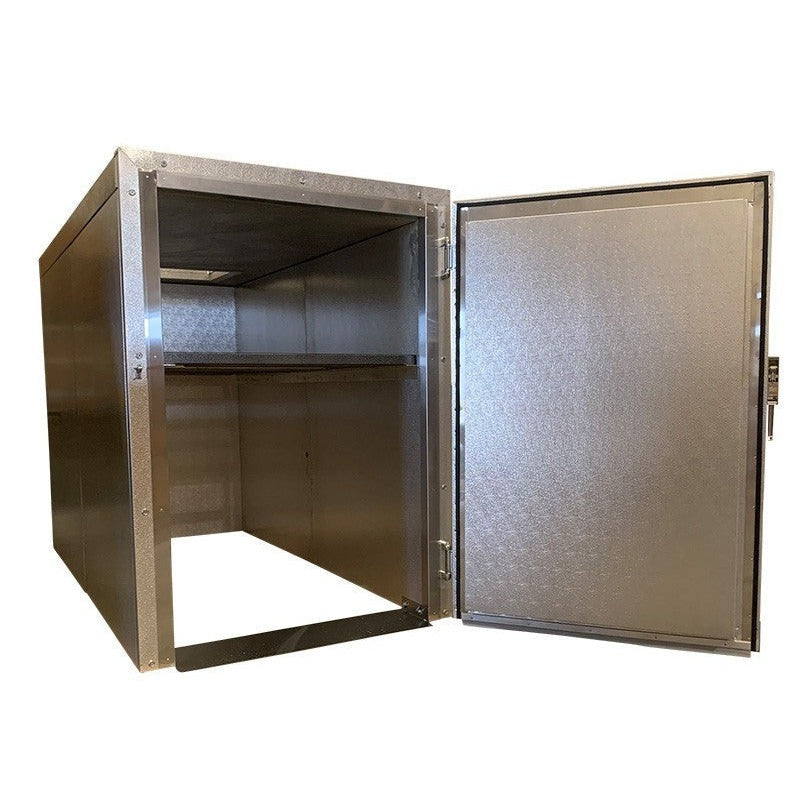
2 Body Standard Roll-In Mortuary Cooler
 Estimated from
2 Body Standard Roll-In Mortuary Cooler – Model 2BR
$7414.11
Check financing
Equipment estimate. Approval required. Tax and delivery extra.
Built to orderPO accepted

THE USA
3-Body Extra-Wide Mortuary Refrigerator
Estimated from
3-Body Extra-Wide Mortuary Refrigerator
$8770.41
Check financing
Equipment estimate. Approval required. Tax and delivery extra.
PO accepted

THE USA
4-Body Extra-Wide Mortuary Cooler
Estimated from
4-Body Extra-Wide Mortuary Cooler
$9107.01
Check financing
Equipment estimate. Approval required. Tax and delivery extra.
Built to orderPO accepted

THE USA
3-Body Mortuary Refrigerator
Estimated from
3-Body Mortuary Refrigerator
$8315.01
Check financing
Equipment estimate. Approval required. Tax and delivery extra.
PO accepted
Compare cold storage around the space and loading plan
Start with the equipment you need to move into storage, the usable room dimensions and the available access route. An upright refrigerator, a roll-in cooler and a walk-in system are different configurations; compare their actual listings before choosing.
- Capacity and access: confirm the listed storage arrangement and loading direction.
- Fit: compare exterior and usable dimensions, door clearance and the delivery route.
- Configuration: identify refrigeration, floor, rack and tray selections separately.
- Project scope: confirm utilities, delivery requirements and the applicable written warranty.
Plan a phased mortuary-cooler replacement
Start with an inventory of the equipment in service, its dimensions and the workflow that must stay available during replacement. Identify the units needed first, the interfaces that must remain compatible and the later phases you want to budget. Separate a planning quantity from an approved purchase.
- For each phase, identify the model or specification, quantity, delivery location and intended purchasing period.
- Record dependencies such as door clearances, loading direction, transfer height, tray size, floor conditions and utilities where relevant.
- Request separate line items for equipment and selected accessories so the order can be reviewed by location and fiscal period.
- Review quote validity, current availability and delivery requirements before approving each phase; a planning quote is not a promise of a fixed future price.
Request a phased equipment or multi-location quote with the first purchase and later requirements clearly identified. Use the same approach for an independent facility, a public department or a corporate equipment-replacement program.
For several products or locations, request an itemized Mortuary Coolers for Funeral Homes quote with selected models, quantities and delivery ZIP codes. Use general customer support for selection questions, and review the written warranty terms before ordering.
Plan year-end equipment purchases around the actual equipment and timing
Review current catalog prices, choose the required configuration and separate the first purchase from later replacement phases. Build an itemized priced quote, or request a formal equipment quote with quantities, locations and your purchasing period. Request written price validity rather than assuming an unannounced future price increase or an additional sale discount.
Can Section 179 affect an equipment purchase?
For tax years beginning in 2026, IRS Revenue Procedure 2025-32 sets a maximum Section 179 expense deduction of $2,560,000, reduced when qualifying property placed in service exceeds $4,090,000. These are statutory limits, not a promise that this purchase or every buyer qualifies.
The IRS explains that property is generally placed in service when ready and available for its specific use. Eligibility, business use, taxable income and other requirements matter; ordering, financing or paying before year-end does not by itself establish a deduction. Confirm treatment and timing with your tax professional before relying on a tax benefit.
Use our 2026 Section 179 planning guide and illustrative calculator alongside the selected model's requirements. Confirm freight, installation responsibilities and availability separately; a year-end planning request is not a delivery guarantee.
Compare your options. Choose your next step.
One source for funeral supplies and mortuary equipment, with nationwide shipping. Review the Mortuary Coolers for Funeral Homes selection, compare product specifications and current pricing, then order the configuration you need or request an itemized quote.
- Choose the modelCompare the details against the work you need to do.
- Set your quantitiesReview the selected options and equipment subtotal.
- Buy or request a quoteReview freight, tax and available payment terms separately.
Need several items or delivery to more than one location? Include the models, quantities and delivery ZIP codes in your request. For general questions, contact customer support.