

Equipment financing
Financing is subject to application and credit approval.
Apply with TimePayment (opens in a new tab)
Your cart is empty
Browse mortuary coolers, freezers, cots and pathology equipment, then add the models you want to order or compare.
Shop by category
 ACH
 Visualize it. Build it. Make it yours.
See it in 3D.
Open builder
Best Price Guarantee
Mortuary, medical and custom equipment
Mortuary · Medical · Custom
See details
2026 Year-End PPE Stock-Up Sale: case savings on gloves, coveralls and embalming coats
Year-End PPE Stock-Up Sale
Shop now

Popular categories
Trending now Most ordered by funeral homes this season
Checkout securely
Your payment information is encrypted
 AME
 Estimated from
Cremation ID 360 Custom Stainless Steel Discs, 1 inch
$82.57
Apply with TimePayment (opens in a new tab)
Apply for financing
Equipment estimate only. Subject to lender approval and terms. Tax and delivery extra.
 TITAN Standard HD Folding Dressing Tables, 2-Pack
 TITAN Standard HD Folding Dressing Table
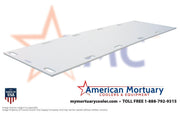 HD Mortuary Plastic Storage Board
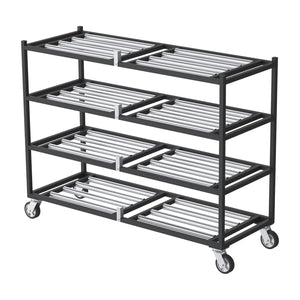
 4 Tier Side-Loading Mortuary Rack
 TITAN Bariatric Hydraulic Embalming Table
 TITAN 500E Standard Mortuary Cot, 500 lb
 TITAN XL HD Folding Dressing Table
 Replacement Body Lift Straps
 TITAN FS1-CT100 Heavy-Duty Church Truck
 2 Body Standard Roll-In Mortuary Cooler – Model 2BR
Design custom 1 inch stainless steel cremation identification discs for your crematory or funeral home. Choose a numbered run from 200 to 25,000 tags, enter your facility text and review a live digital engraving proof in the Cremation ID 360 disc builder.
The native quantity option is one complete numbered run, not one individual tag. The builder shows the selected run total and price per tag before you add the design to cart or Instant Quote. Shipping and tax are calculated at checkout. Adding a cart quantity of two duplicates the complete configured run and its numbering; create separate designs for different number ranges.
The rotating image is a digital product illustration. Engraving position, contrast and finish are approximate, not a production approval. Confirm your facility details and numbering; do not enter decedent names or other personal information. Production requires review of the design and a complete configuration.
Compare both cremation disc sizes and keep your approved configuration saved in the same browser for a future order. For external intake and prep-room identification, compare blank write-on decedent ID tags; those are separate products and are not represented as cremation-chamber discs.
Model 85 is the 1-inch round format in the Cremation ID 360 range. Configure these custom stainless steel crematory tags with your funeral home or crematory name, optional year and consecutive case-number range. Each of the five facility-text lines is optional, and the imprint is on one side only.
Compare the 1-5/8-inch Model 92 cremation ID discs if your purchasing specification calls for a larger diameter. Both sizes use 304 stainless steel with a 2B finish, 0.030-inch thickness and a 1/8-inch attachment hole. Confirm your facility's required format before ordering.
The Cremation ID 360 online disc designer requires first and last name, an automatic approval date, a drawn finger, mouse or stylus signature and the design approval checkbox before cart or Instant Quote. A typed name does not replace the drawn signature. The configured run and signed approval travel together into the cart or quote.
Save your facility layout for repeat cremation supply orders, and optionally request confirmed 90-day reorder reminder emails. Every new run still requires you to check your facility records and choose the next unused starting number. Saved layouts and reminders do not automatically advance or reserve numbers, place an order or charge you.
Your selected disc size and numbered run open in the Cremation ID 360 designer. Review your one-sided imprint and draw your signature before adding the configured design to cart or Instant Quote.
Review the listed specifications, selected options and included items before ordering. Use the configuration selector for the current price and availability; do not assume that accessories pictured with a product are included unless the listing says so.
Source funeral supplies and mortuary equipment from one supplier, with nationwide shipping. For an equipment package or a multi-location order, request an itemized quote with the selected products, quantities and delivery ZIP codes. Confirm freight and delivery requirements for the equipment you choose.
Review the payment methods offered at checkout for your order. If a payment plan is available, its options and eligibility are shown by the provider. The equipment price and any financing cost are separate; compare the full payment terms before choosing a plan.
Enter payment details only in checkout or the payment provider's application. Use general customer support for product and order questions, not for sending full card numbers or sensitive financing information.
Product information
Your product information and configuration controls remain together above these tabs. View product details & configuration.
Review Product details for the published product information, and confirm the specifications of your selected configuration before ordering.
| Tags per numbered run options | 200, 300, 400, 500, 600, 700, 800, 900, 1000, 1100 and more |
|---|
| Brand / vendor | AME |
|---|---|
| Equipment type | Cremation Identification Discs |
Published dimensions remain in Product details when a separate dimensions section is not available.
Review the original product information & configuration above for product-specific guidance.
Contact our team with the product name and the specification or option you want to confirm.
Include the product, quantity, required configuration and delivery location in your quote request.
Open Shipping & support for the published freight, returns and custom-order policy links.
Product-specific documents and planning links remain in Product details when a separate resources section is not available.
Review the published policies and confirm product-specific requirements before placing your order.


Purchase through the product options above, or use one of these support paths for a financed or institutionally quoted order.
Financing is subject to application and credit approval.
Apply with TimePayment (opens in a new tab)Request documented pricing, freight planning, and configuration support before issuing a purchase order.
Request a formal quoteEstimates are for qualified buyers with approved credit (WAC) and reflect the equipment price only. Shipping, freight, and applicable taxes are not included and will increase your total and payments. Final amounts are set at checkout or on your quote.
Government and institutional buyers: request a PO quote.
Values below are references recorded for this listing, not a new classification determination. Missing or unverified information must be confirmed for the exact configuration and purchasing system.
Reference classifications for RFQ, bid, grant and purchase-order preparation. Codes, model numbers and any GSA Schedule SIN are different identifiers, not certifications; this panel does not assign a SIN or imply a contract award, set-aside status, government approval or universal regulatory compliance.
Request a quote or submit a PO · Government buyer desk · Financing & leasing